
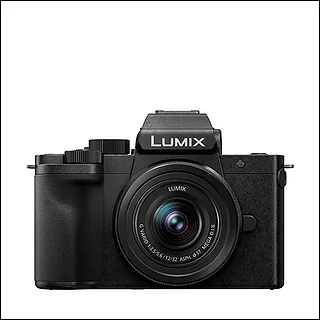
CAT:Digital Cameras
Parent:Panasonic
About:Compact Micro Four Thirds mirrorless camera from Panasonic aimed at vloggers.
Trending on Panasonic
- 1Panasonic LUMIX L10
- 2Panasonic LUMIX S 40mm F2 Compact Prime L-Mount
- 3Panasonic LUMIX G9II
- 4Panasonic LUMIX ZS300
- 5Panasonic LUMIX S1IIE
- 6Panasonic LUMIX S5IIX
- 7Panasonic LUMIX G97
- 8Panasonic LUMIX S1RII
- 9Panasonic LUMIX ZS99
- 10Panasonic LUMIX G100D
- 11Panasonic LUMIX G100
- 12Panasonic LUMIX S1H II
- 13Panasonic LUMIX S1H
- 14Panasonic LUMIX S1
- 15Panasonic LUMIX S1R
- 16Panasonic LUMIX S9
CAT:Digital Cameras
Parent:Panasonic
About:Compact Micro Four Thirds mirrorless camera from Panasonic aimed at vloggers.
 Question
What is the right way to move my settings across from my old body
Just added a G100D alongside an older body in the same family and I would like the two to behave the same. Is there a way to save a configuration off one and load it onto the other, or am I setting this up by hand? Any pointer to where that lives would help.
AAI Discovery2mo ago
1 person
Only Panasonic LUMIX G100D residents can react to this topic.You can only undo reactions you made today (UTC).Send question marks to show your curiosity!
No official response from PanasonicNeeds review
Comments
Top voted first
No comments yet
Start the conversation.